
How to add a Pinterest banner to the first image
The Tasty Pins Pinterest Banner is a great feature for encouraging readers to save your post. Here’s an example of what it looks like on our sister site, Pinch of Yum.
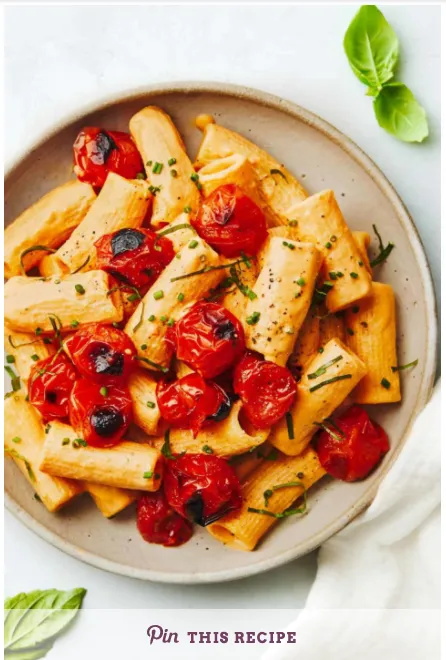
To enable the banner on your site, from the WordPress Admin navigate to the Tasty Pins Settings, where you’ll see a tab for the Banner:
WP Tasty → Tasty Pins → Banner.
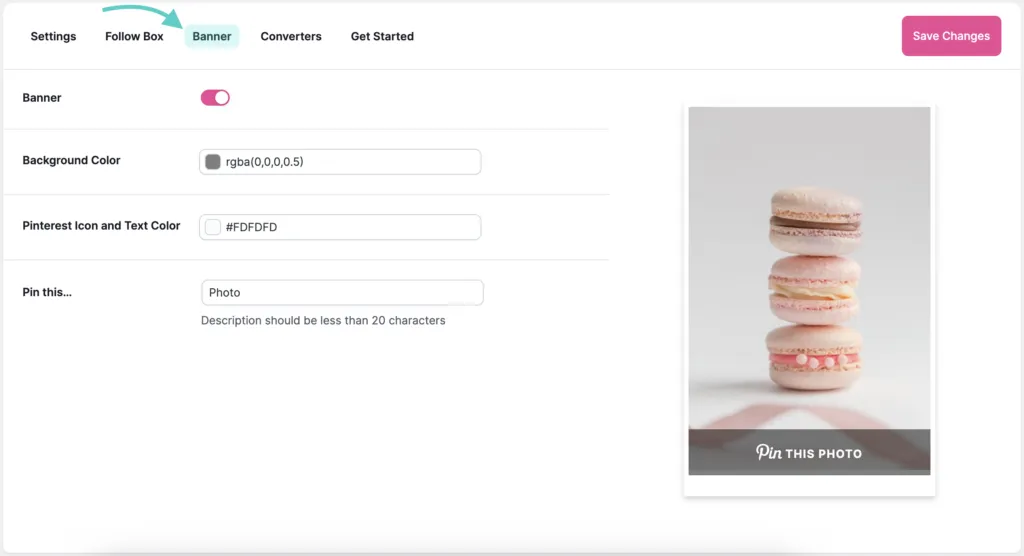
There you have the options to:
- Turn the banner feature on/off
- Change the background color
- Change the Pinterest icon and text color
- Add a description that works best for your content (recipe, craft, trip, project. etc.)
Don’t forget to save your changes!
