
How do I add rel="nofollow" to my links?
Being able to add a rel=“nofollow” to your sponsored and affiliate links is really important. It lets search engines know hey! I might get paid for this link, so don’t take it into your rankings. Giving search engines this info helps you stay in their good graces.
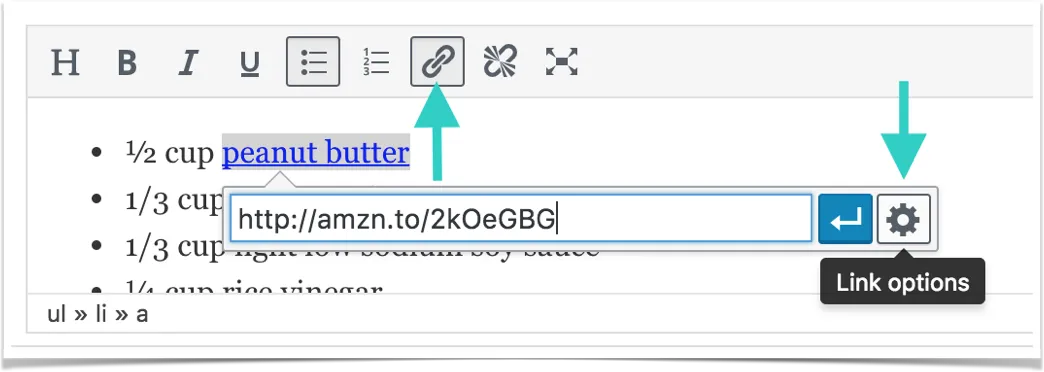
Tasty Recipes allows you to add nofollow links. To add rel=“nofollow” to your links in Tasty Recipes, highlight the text you want to link, then click the link button in the toolbar. Add your link in the field that appears, then click the gear icon to access the link options.
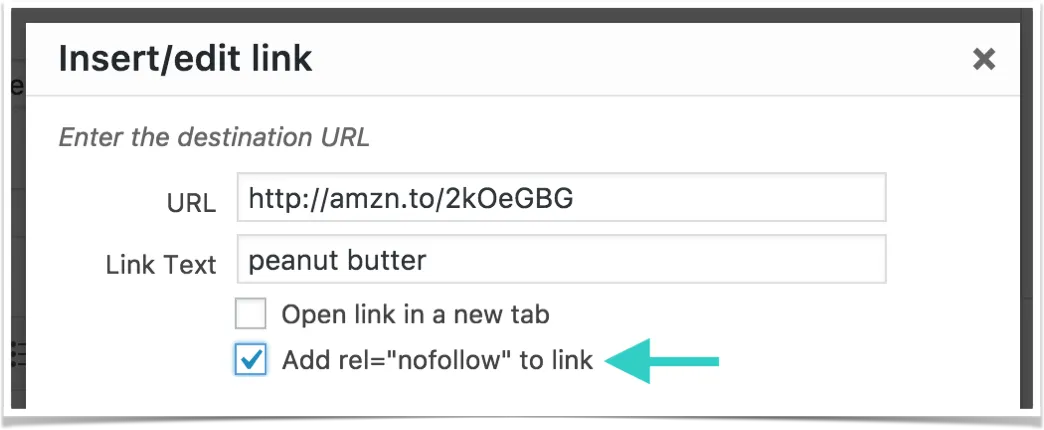
A new modal window will appear. Click the box next to Add rel=“nofollow” to link, then click “Add Link.”
The link will be added to your Tasty Recipe.
