
How to integrate Nutrifox labels with Tasty Recipes
Nutrifox calculates the nutrition facts for your recipes, and Tasty Recipes shows them in your recipe card. Connect your Nutrifox account once, and you can create or add a label right from the recipe editor. Tasty Recipes displays the label and adds the nutrition data to your recipe’s structured data for you.
Connect your Nutrifox account
To use the integration, you’ll need a Nutrifox account.
Don’t have one yet? Click Try free 14 day trial in the recipe editor, or start one at nutrifox.com.
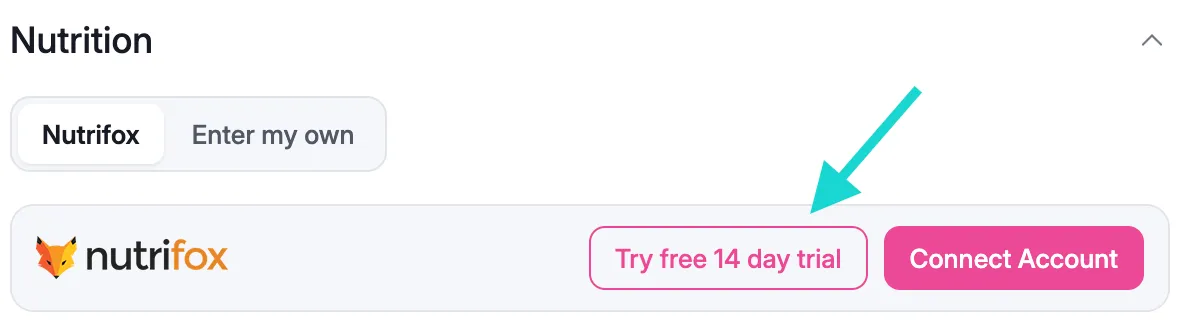
You only need to connect once per site.
- Open any recipe in the Tasty Recipes editor and expand the Nutrition section.
- Click Connect Account.
- On the Nutrifox screen, check that you’re signed in to the right account, then click Authorize.
You can also connect from WP Tasty → Tasty Recipes → Settings. Find Nutrifox Connection and click Connect.

When you connect, Tasty Recipes can see the labels in your Nutrifox account, create new labels from recipes on your site, and find out when a label changes.
Adding a Nutrifox nutrition label to your Tasty Recipe
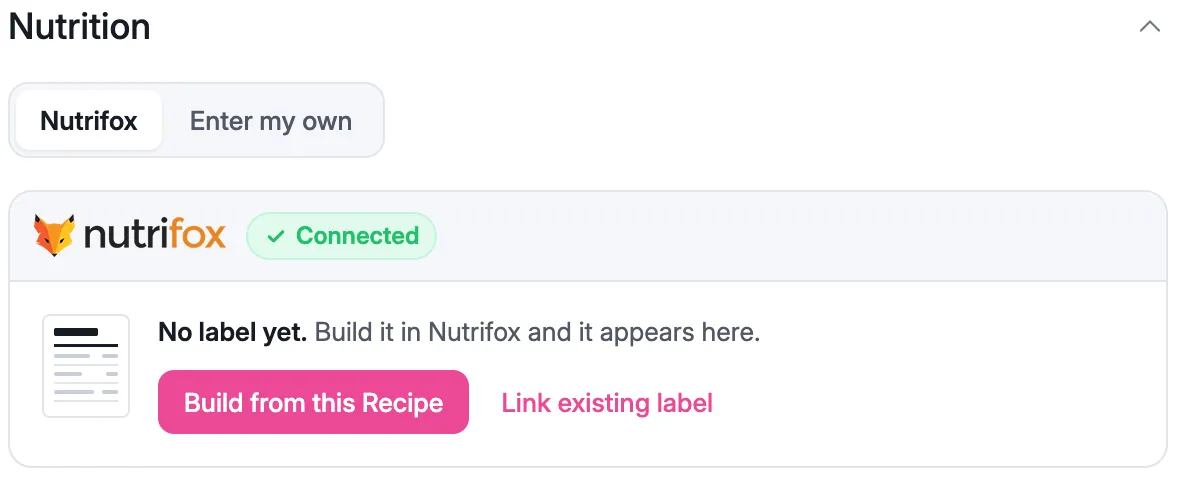
Once you’re connected, you have two ways to add a label from the Nutrifox tab in the Nutrition section.
Create a new label from your recipe
Make sure your recipe has a title and at least one ingredient, then click Build from this Recipe. Nutrifox builds the label from your ingredients, and a preview appears in the editor.
Add a label you’ve already made
-
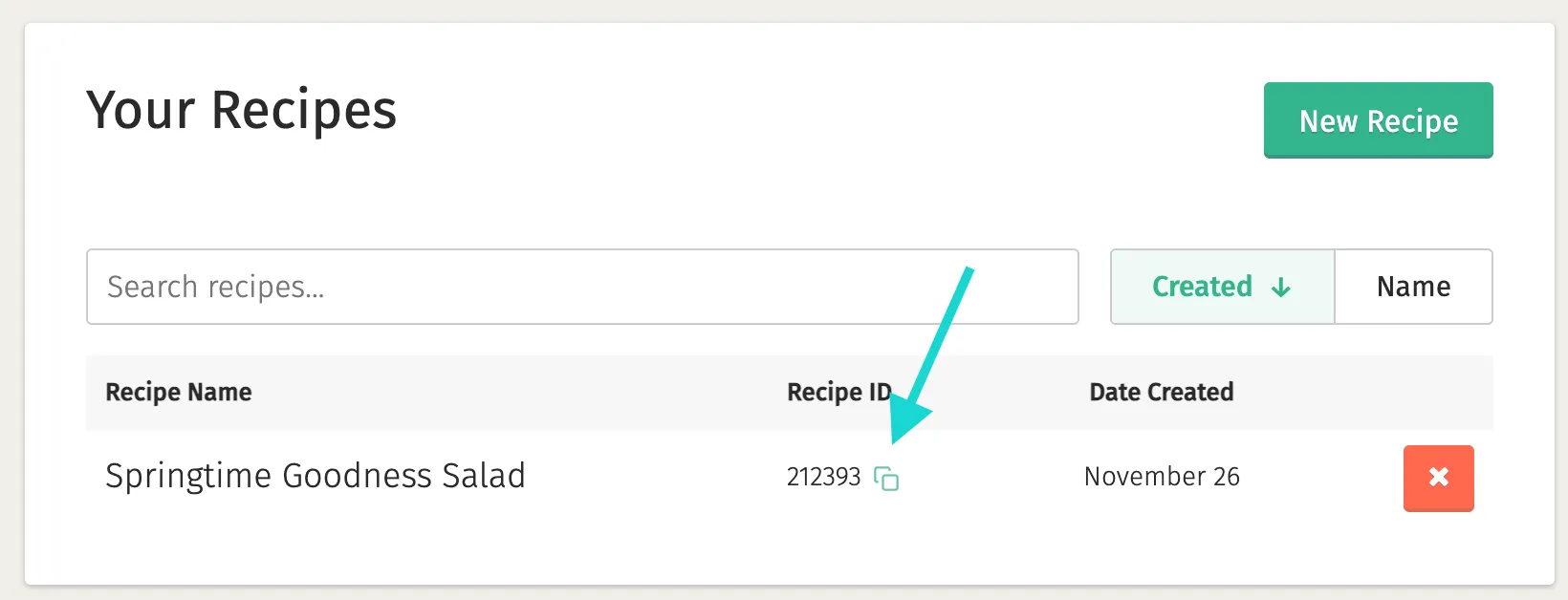
In Nutrifox, open your recipe and click Copy Recipe ID, just below the recipe title. The ID is also shown in the Recipe ID column of your recipes list.
-
In Tasty Recipes, click Link existing label.
-
Paste the ID into the Nutrifox Recipe ID field and click Add Label.
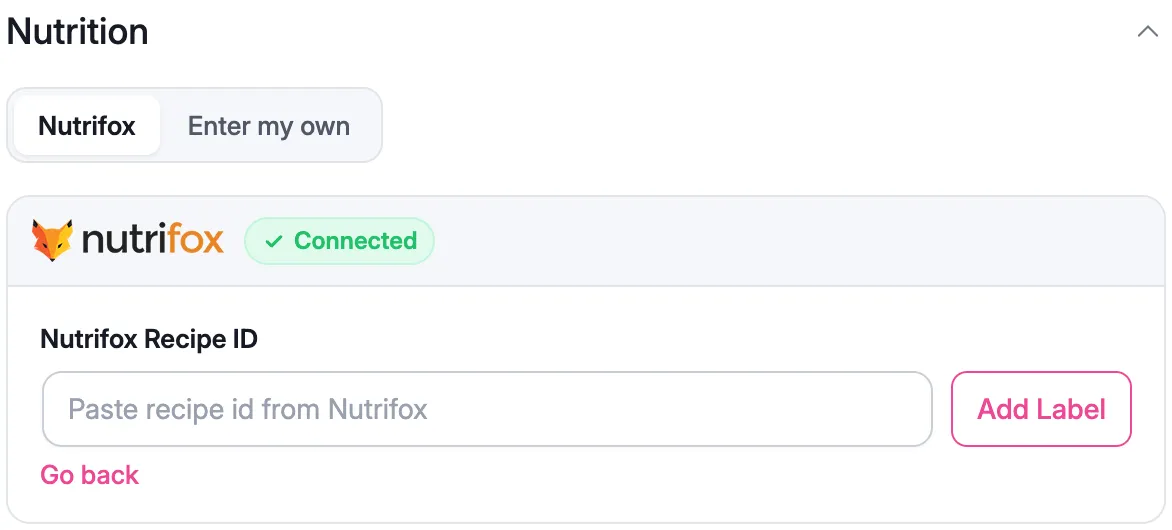
Then click Update Recipe to save. You don’t need to fill out any of the other nutrition fields. The nutrition label shows below your recipe, and the data is added to your structured data automatically.
To make changes later, click Edit in Nutrifox. To remove the label from the recipe, click Unlink Label.
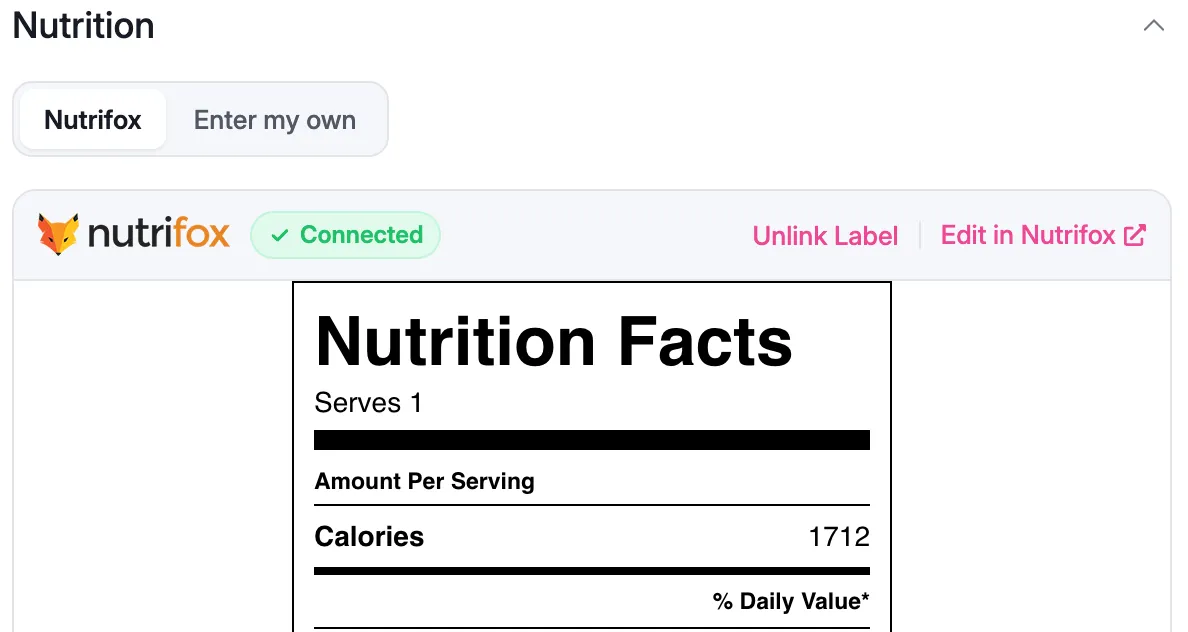
Note: Unlinking doesn’t delete the recipe from your Nutrifox account.
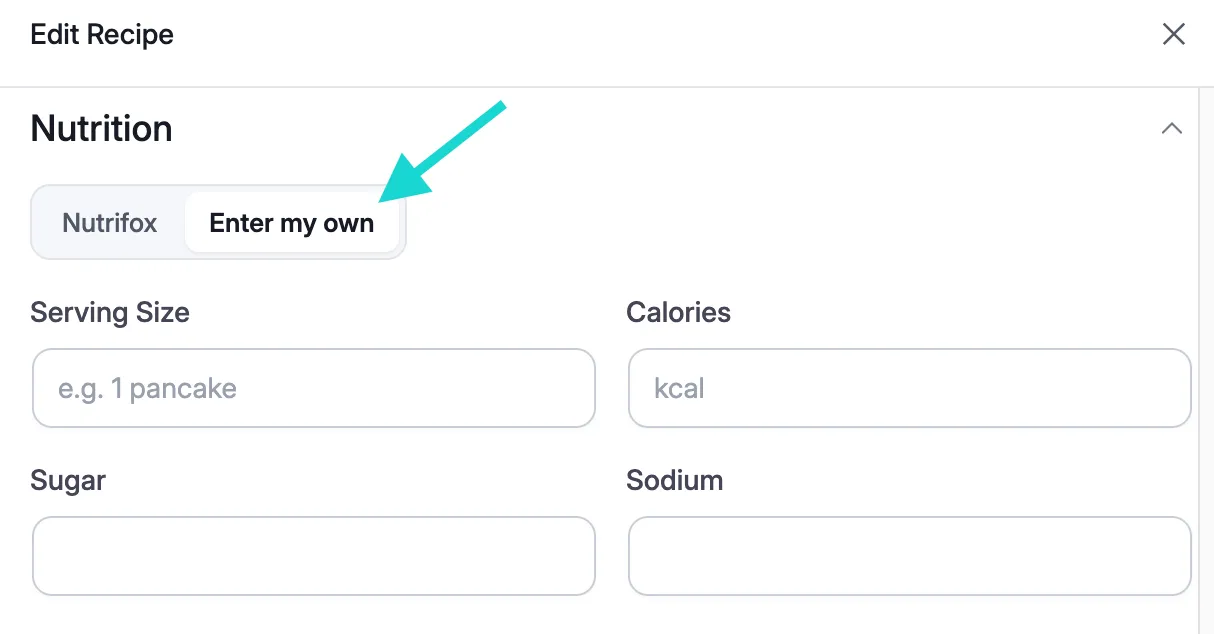
Prefer to add nutrition info yourself? Click the Enter my own tab and fill in the fields manually.
Disconnecting Nutrifox
To disconnect, go to WP Tasty → Tasty Recipes → Settings, find Nutrifox Connection, and click Disconnect.

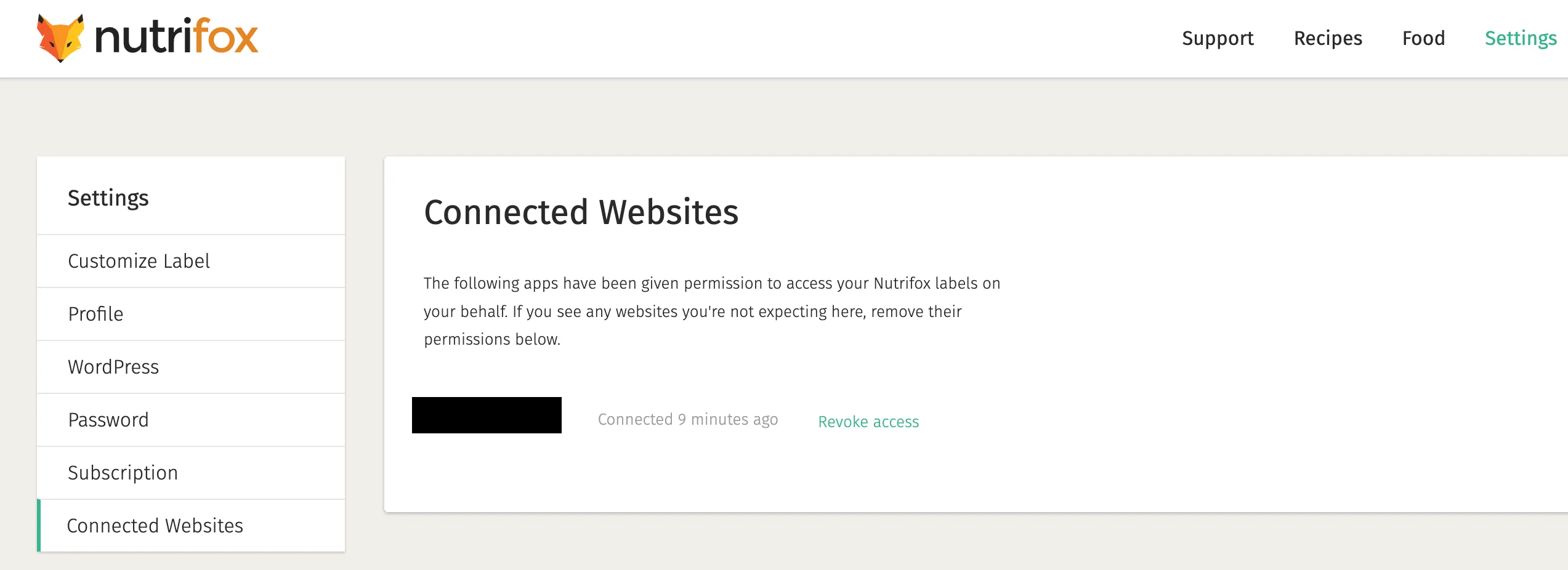
You can also do it from Nutrifox under Settings → Connected Websites by clicking Revoke access next to your site.
Label Style
Nutrifox has several label styles to choose from. Learn how to select a different label style in the support docs.
Prefer plain text? In WP Tasty → Tasty Recipes → Design, set Nutrition Display to Insert as plain text.

Read more: Show Nutrifox nutrition information as plain text, instead of a label (iframe)
